 Aug 8, 2021·2 replies
That old dude is not Prince 85 lmao that’s the owner of that little shop. His name is Alain Roussel
 Aug 8, 2021·6 replies
:

- Aug 8, 2021After Hours
:
Lets gooooo
 ABYSSUS 💜Aug 8, 2021·1 replyJalen Brunson Fan
That old dude is not Prince 85 lmao that’s the owner of that little shop. His name is Alain Roussel
We already clarified that Fam
- Aug 8, 2021·1 replyABYSSUS
We already clarified that Fam
Oh my bad I missed that
- ABYSSUS 💜Aug 8, 2021Jalen Brunson Fan
Oh my bad I missed that
The focus is on France and robots and that they will have their flowers soon and we will be eating
 Aug 8, 2021·1 reply
broooooooo Abel mentioned "The Dawn" at the end hook on Hurricane

- ABYSSUS 💜Aug 8, 2021·1 replyCyberPunk
broooooooo Abel mentioned "The Dawn" at the end hook on Hurricane
Everything of Abel on Hurricane is related to The Dawn
- ABYSSUS 💜Aug 8, 2021·2 replies
Actually... What happened to the fact that The Dawn was supposed to be a soundtrack to his movie ? Did that part just vanish because of the HBO series ?
 Aug 8, 2021After Hours
:
Oh mannn
 Aug 8, 2021·2 replies
Song is heat
 Aug 8, 2021·1 replyHURRY UP HMFMM
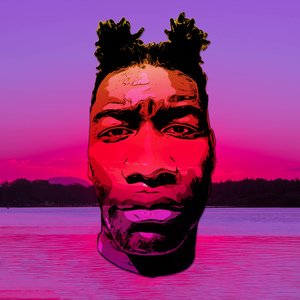
Here's the link:
https://sourceful.us/doc/935/introduction-to-vqganclipYou'll need a Google drive for this as all of the files will be saved there. You can use a fake GDrive account if you don't want to use your main one btw.
After signing in to your GDrive, open the second link mentioned in the webpage I just linked you with.
After opening it;Press the play button next to "Google drive integration"
Wait til it prompts you to follow a link which would redirect you to login to the GDrive account which you'll use for this (again)
It'll give a code so copy that and paste it in the textbox shown in the Google colab page
Hit enter and wait for it to complete the integrationNow play the second step and the third step. The third step may take a while since it's grabbing all of the ai related stuff onto your drive. After it's done installing, you may find some text in red with a button "restart runtime". Press that button to restart the runtime.
On the fourth step before you hit play, make sure to only check "imgnet_16384" and leave the rest in that section unchecked. Then play that step
Then play the Loading and libraries
Then under implementation tools > parameters:
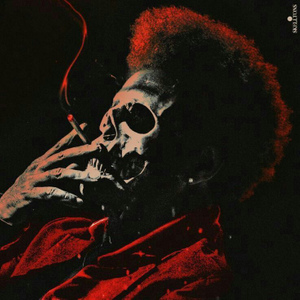
Prompts: this is where you type what your image wants to be.
Eg: The Weeknd | Dancing | Club
Which means that you want the picture to have the Weeknd, dancing at the club. The " | " is to separate each object from one another. You can also add "rendered using unreal engine" ( after adding a | to the prompt ofc) for some cool and weird 3D redentions of your artwork
Also, at the model part, select: vqgan_imagenet_f16_16348
Leave the rest untouched
Then press play on the parameters button
After that, press play on the execution button
The image will get iterated for infinite amounts of times with each iteration getting better and better (sometimes it gets worse). If you find a great iteration (or you like how that image looks like), just save that picture as how you would save a usual picture. That's it
You'll have to run it all again if you close the tab so

bro thank you so much, did this and it worked. What sizes do you use? the ones you generated are pretty high quality
 Aug 8, 2021
This is definitely going to be a classic. More confident in this than Donda.
 Aug 8, 2021·1 reply
Lmfaoo wow thats a bit arrogant from him dont you think?
Hell Doc and Ill pioneered a whole ass generation with that sound and yeezus was yeezus.
Damn he too full of himself i didnt know that
- Aug 8, 2021KingOfPop
Song is heat
Was waiting your comment especially on how MJ influenced this is,glad you're messing with it
- Aug 8, 2021·1 replyJalen Brunson Fan
That old dude is not Prince 85 lmao that’s the owner of that little shop. His name is Alain Roussel
WHO THE F*** IS ABEL TESFAYE
- Aug 8, 2021kiddash3r
WHO THE F*** IS ABEL TESFAYE
ABEL WEEKEND
- Aug 8, 2021·1 reply
How long are shooting times with a series i kinda dont know where he fits that
AH first leg is till summer and second leg is the whole fall/winter.
Is 1 summer enough?
- Aug 8, 2021·1 replyA New Impression
bro thank you so much, did this and it worked. What sizes do you use? the ones you generated are pretty high quality
the default size. I upscale them using waifu2x
- ABYSSUS 💜Aug 8, 2021·1 replyHURRY UP HMFMM
the default size. I upscale them using waifu2x
Waifu 2x

- Aug 8, 2021·1 replyABYSSUS
Waifu 2x
Hey cmon it works